 Kuvo Code
Any model.
One native harness.
Kuvo Code is a native Mac harness for coding agents that works with any model: Claude, GPT, Gemini, open models and free ones. Review its changes like a pull request, and keep files, a terminal and a browser beside the chat.
Free for personal use. macOS 26 or later, Apple silicon.
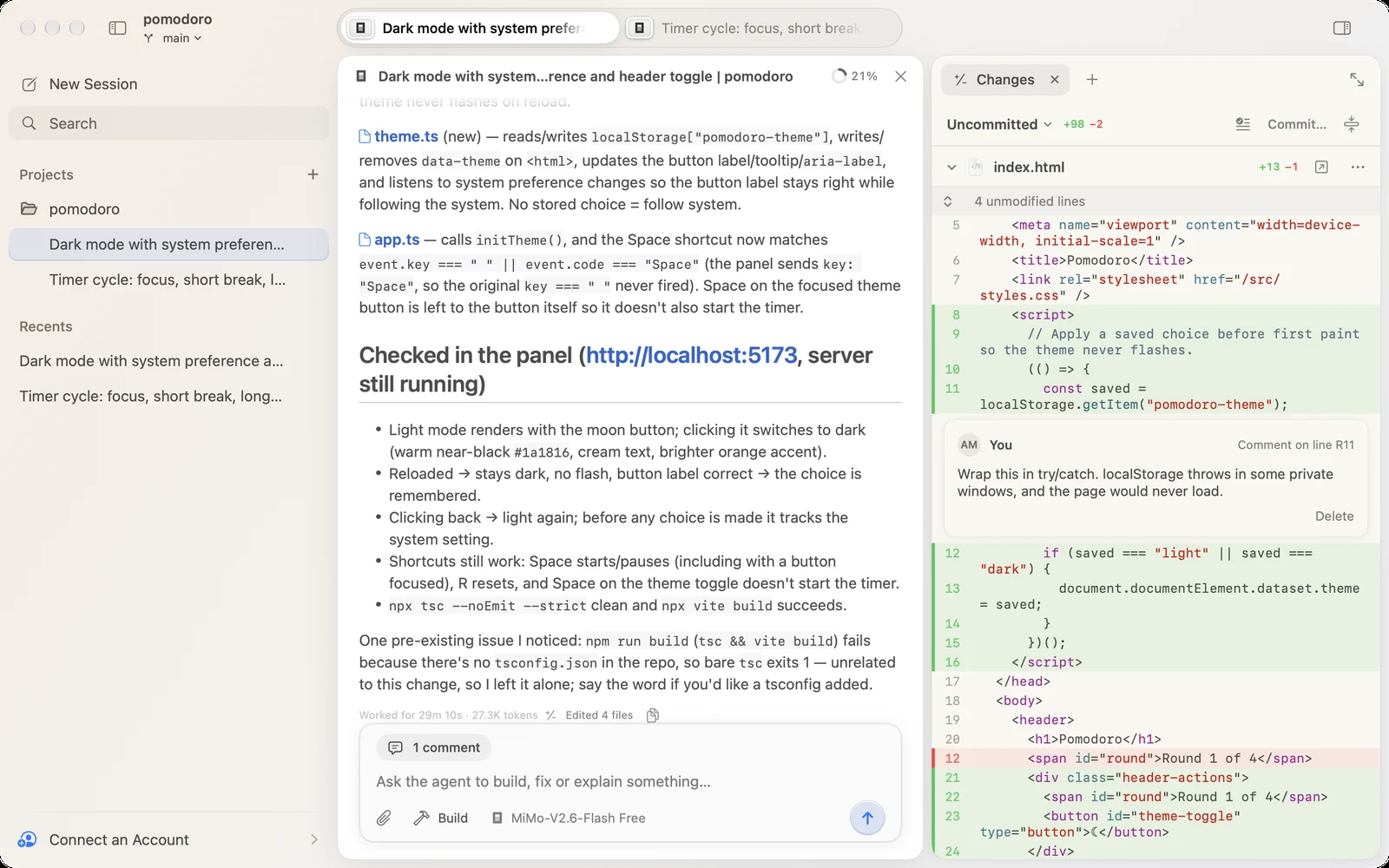
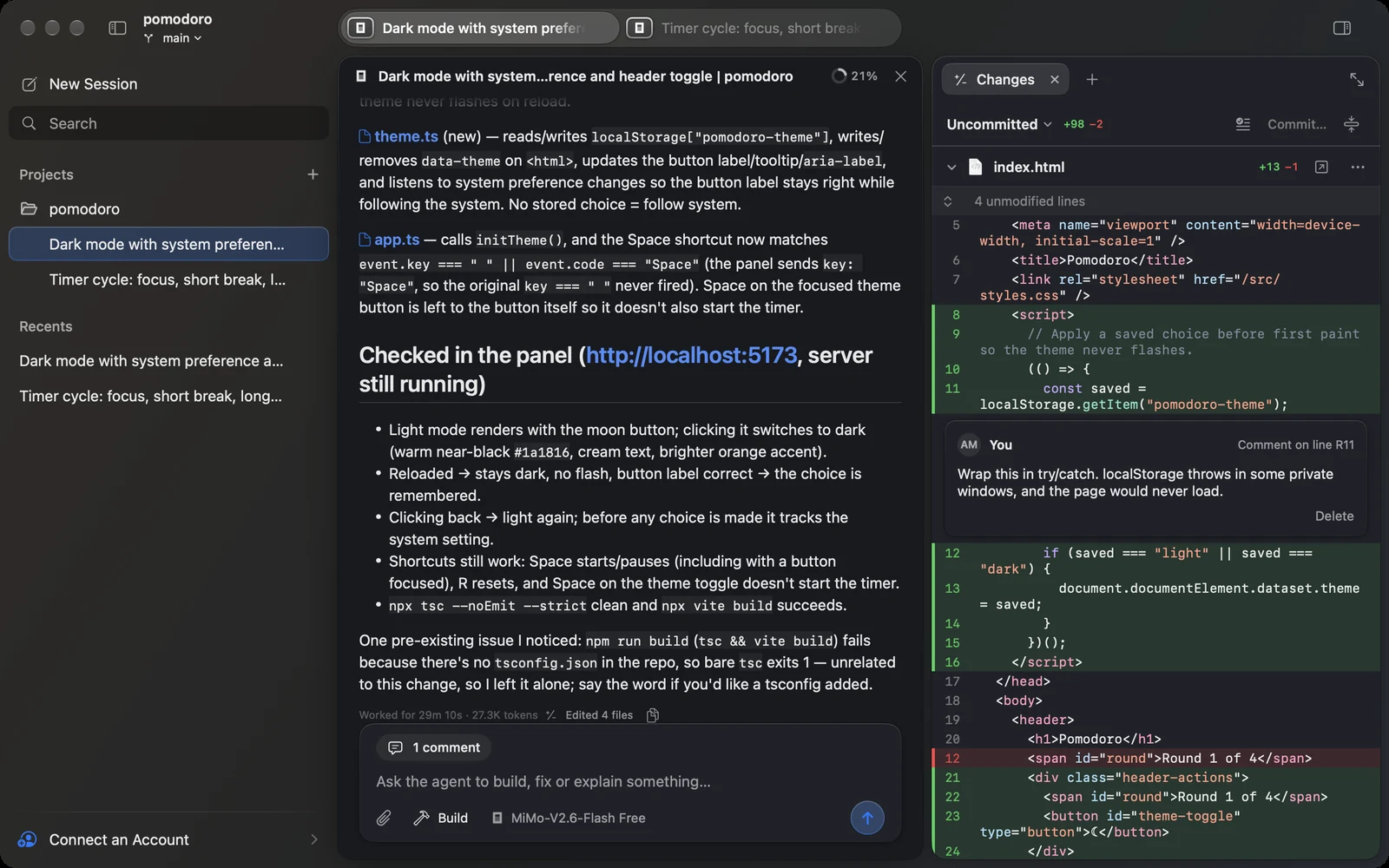
The agent works.
You stay in the loop.
Everything the agent does is in one window: what it said, what it ran, what it changed, and the pages it opened.
Review it like a pull request.
The Changes tab shows what changed in the project, straight from git. Unchanged lines fold away, new files show up, and pictures appear before and after. Comment on any line, and the comment goes with your next message.
Read the docs →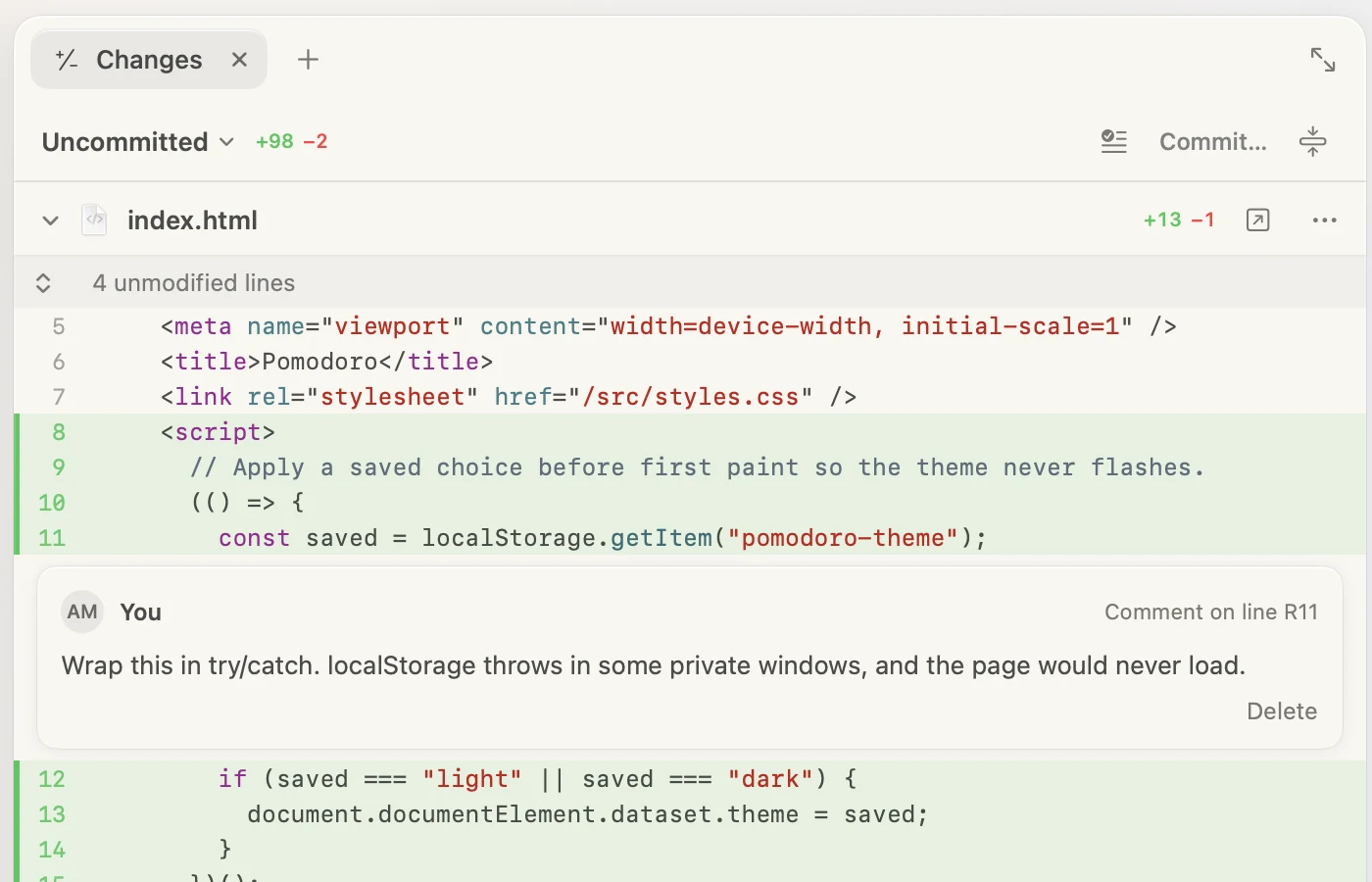
Files, terminals and a browser.
The side panel keeps your tools beside the chat, as tabs: the project's files with code highlighted and Markdown rendered, your shell in the project folder, and a web browser.
Read the docs →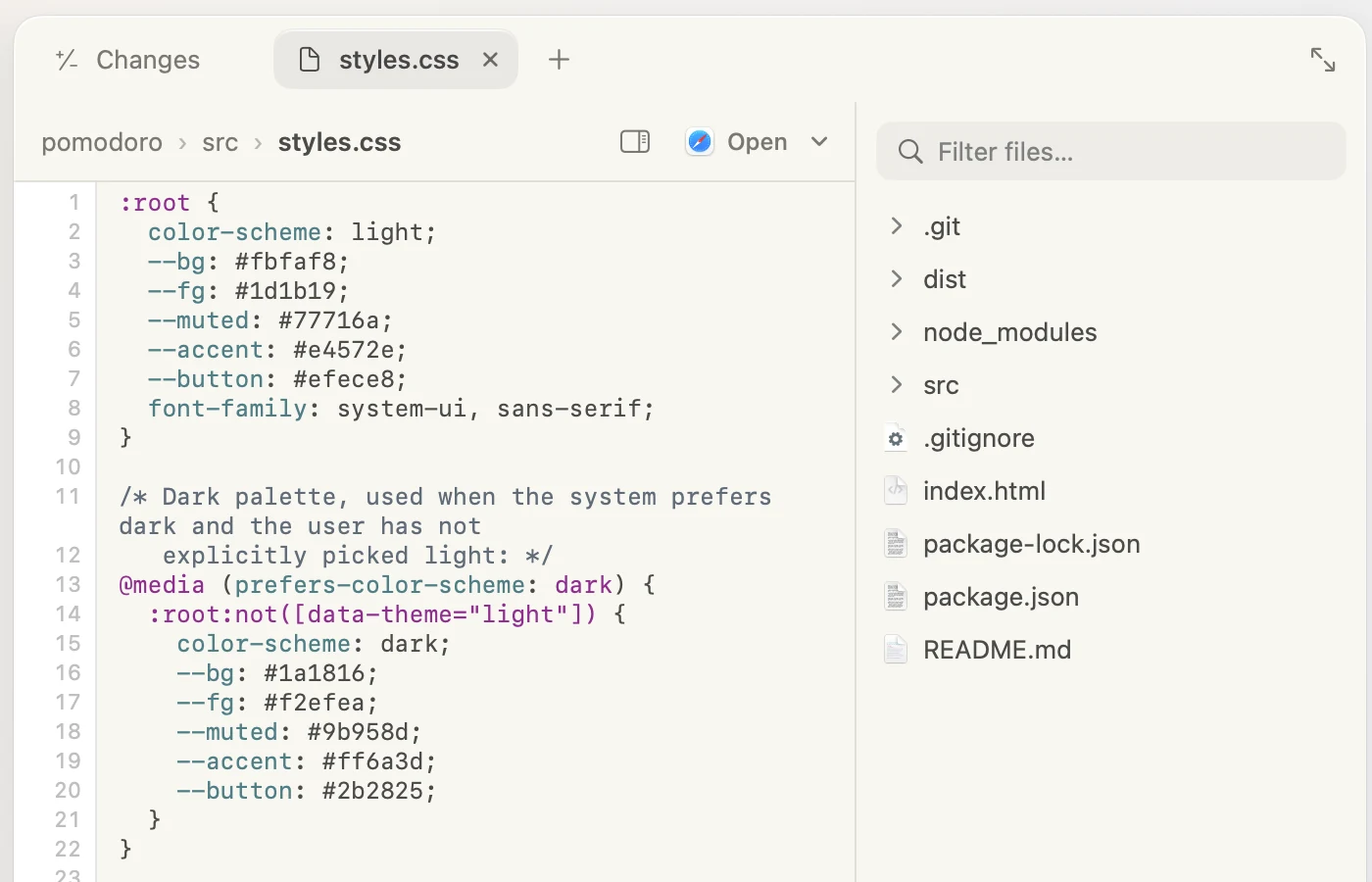
Browsing, with any model.
The agent opens pages in the panel's browser, reads them as numbered elements, then clicks, types and scrolls. Every step happens in the browser you see.
Read the docs →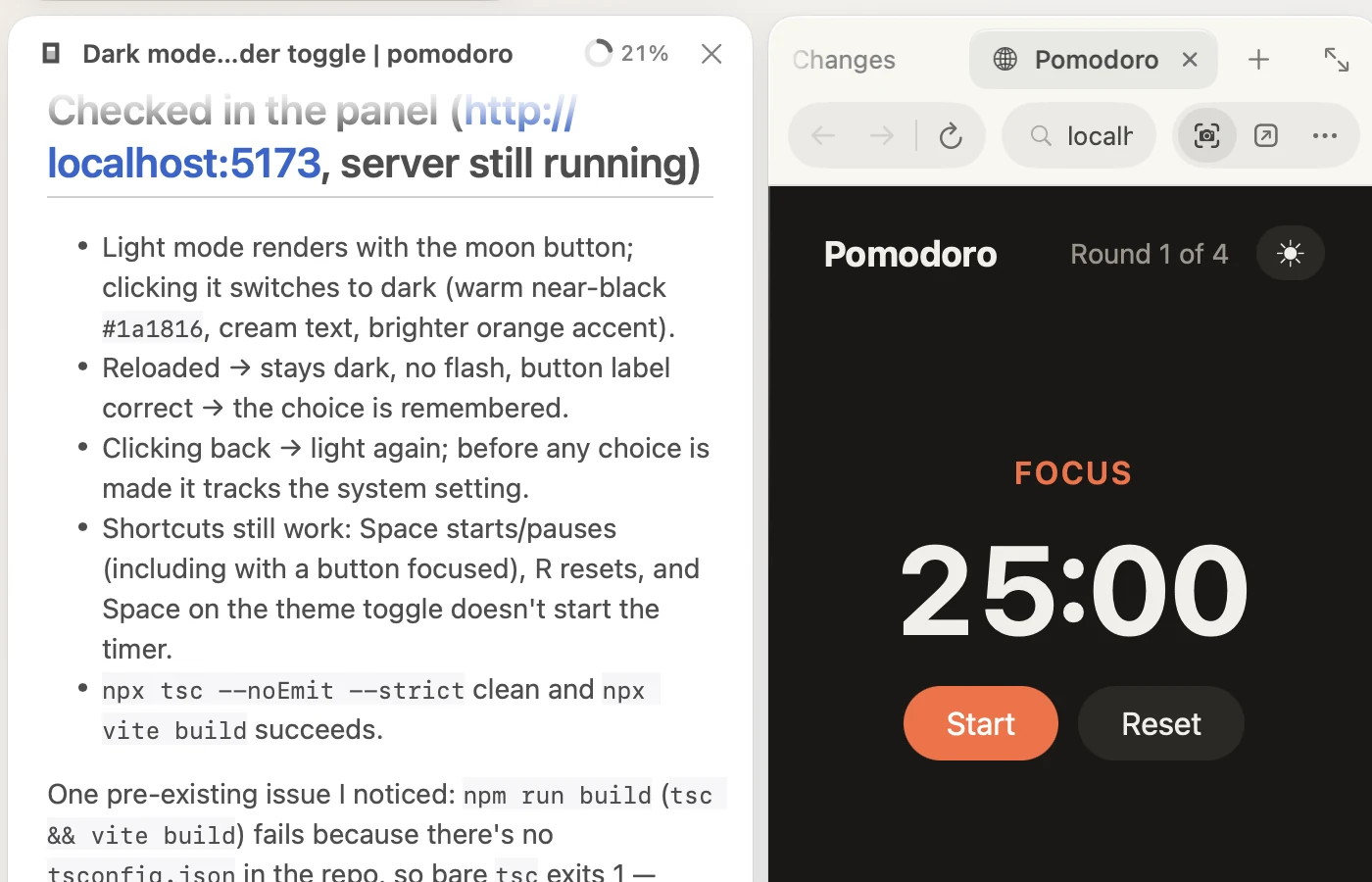
Every plan, in the menu bar.
Limits with pace and reset times, and what you've spent today and over the last 30 days, for the accounts you connect: Copilot, ChatGPT (Codex), OpenCode, OpenRouter and Z.ai.
Read the docs →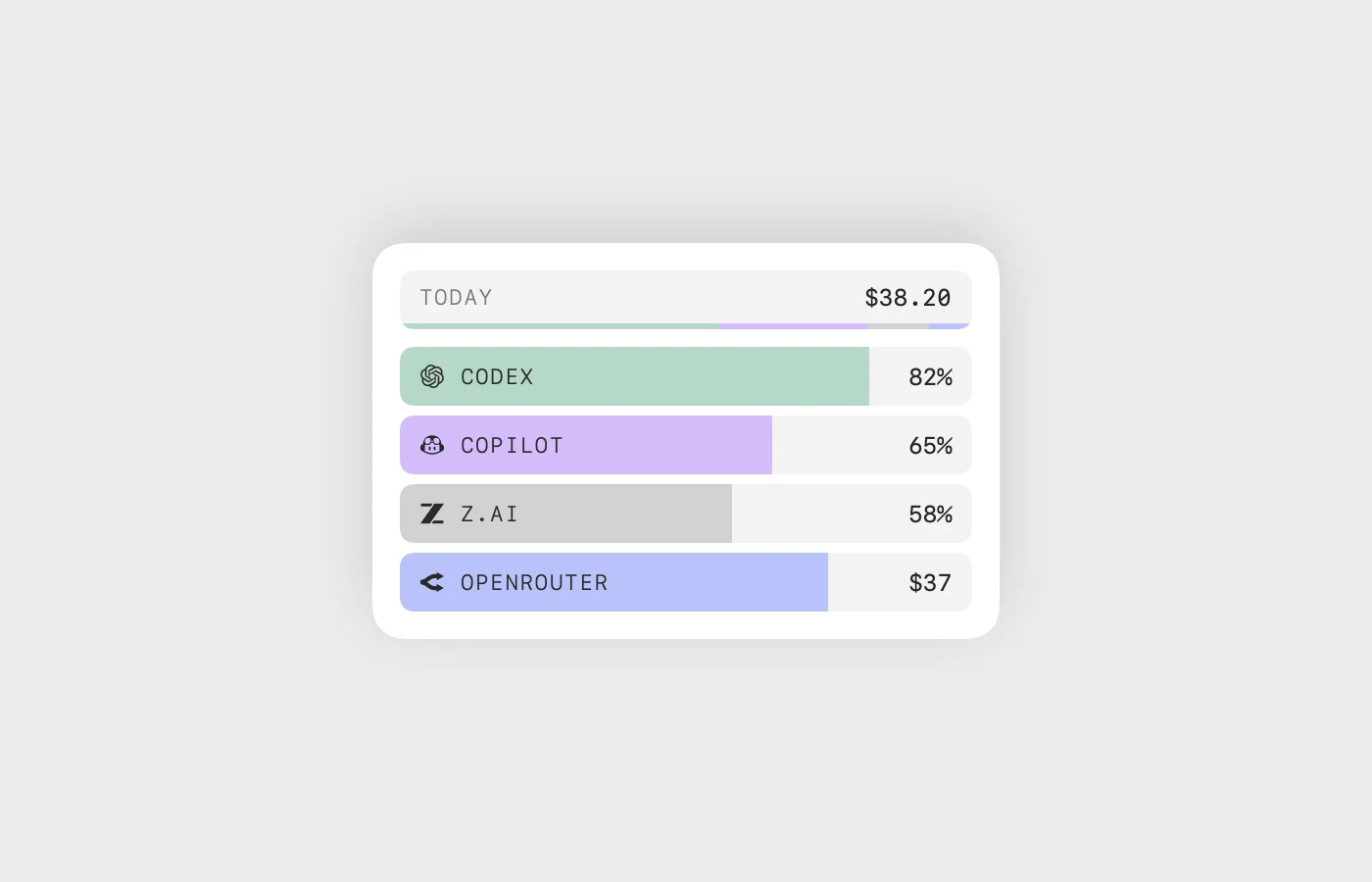
Any model you like.
An app that feels like a Mac.
Kuvo Code runs the official opencode engine, unmodified, and gives it an interface made for macOS. Bring the models you already pay for.
Any model
Sign in with a subscription you already have, add an API key, or start with free models that need no account.
The opencode engine
The official opencode, unmodified, so the agent works the way it does in the terminal.
Approve All or Ask First
Let the agent work on its own, or have it ask before it edits files or runs commands.
Build and Plan
Plan mode talks a change through before making it. Switch with ⌥⌘1 and ⌥⌘2.
Attach anything
Drop, paste or pick files of any kind. Pictures show up in the transcript.
Sessions by project
Every session sits under its project in the sidebar, with what it's doing at a glance. Give one a worktree of its own to work alongside the others.
Native
SwiftUI and AppKit with Liquid Glass. No Electron, and no web view for the interface.
Kept apart
Sessions, accounts and settings live in Kuvo Code's own folder, apart from any opencode you've installed.
One download.
Then open a folder.
Open Kuvo Code, sign in or pick a free model, and tell the agent what to build.
Download for macOSmacOS 26 or later, Apple silicon.
Your first session.
- Open Accounts with ⇧⌘K and sign in, or skip it and use a free model.
- Open a project folder with ⌘O.
- Ask for a change, then look it over in the Changes tab with ⌥⌘I.
New to it? Start with the docs →
Rather build it yourself? Build from source →