# Getting started
Install Kuvo Code, connect a model, and start your first session with a coding agent.
Kuvo Code is a native macOS harness for coding agents that works with any model. Open a project folder, tell the agent what you want, and watch it read, edit and run things there. Then review what it changed like a pull request, with files, terminals and a browser beside the conversation.
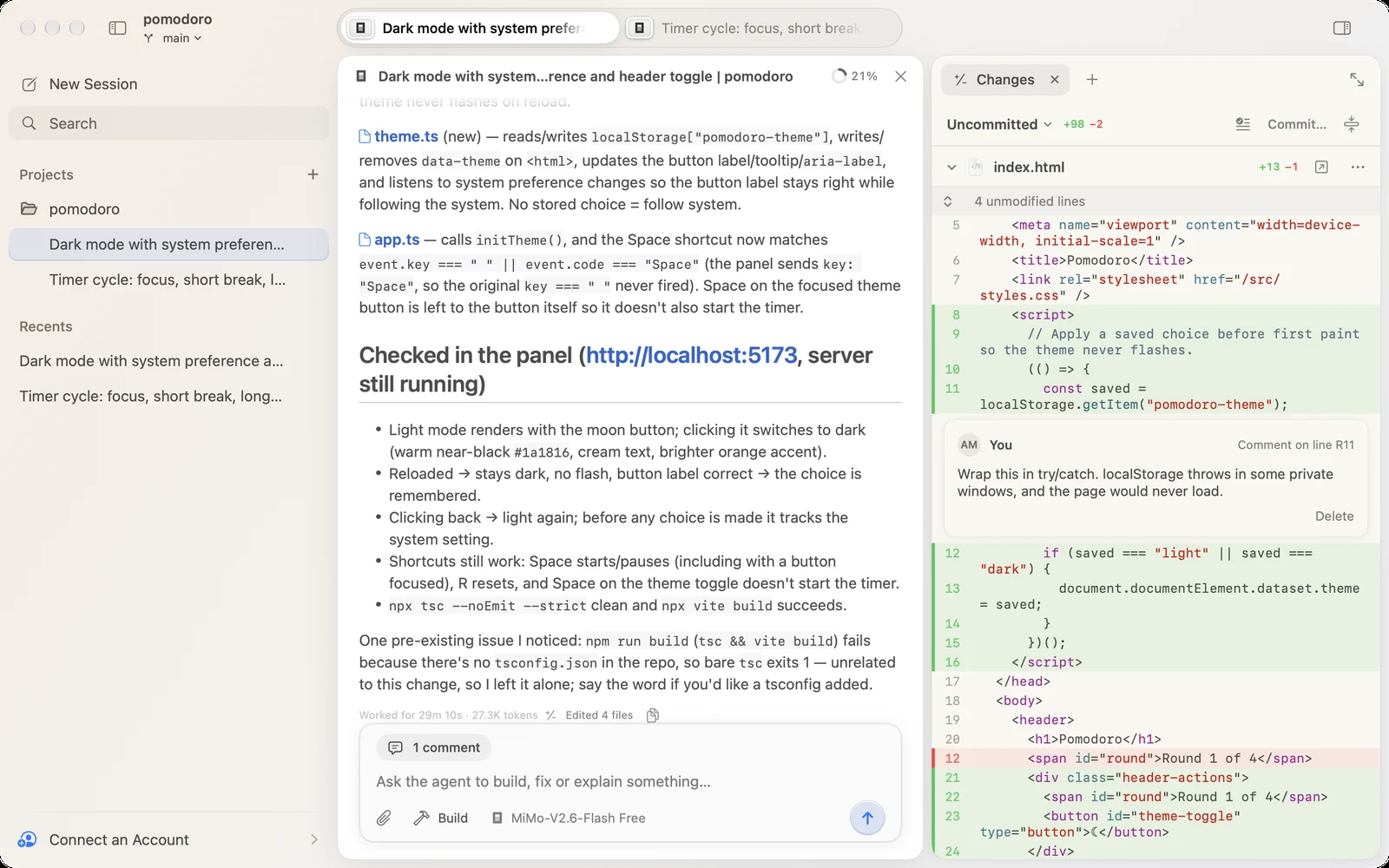
The agent is [opencode](https://github.com/anomalyco/opencode), unmodified. Kuvo Code is free for personal and other noncommercial use, and its source is [on GitHub](https://github.com/serhatandic/kuvo-code). Commercial use needs a separate [license](https://github.com/serhatandic/kuvo-code/blob/main/LICENSE).
You need a Mac with Apple silicon and macOS 26 or later.
## Your first session
1. [Download KuvoCode.dmg](https://github.com/serhatandic/kuvo-code/releases/latest/download/KuvoCode.dmg), open it, and drag **Kuvo Code** to **Applications**.
2. Open it. The first launch downloads the engine, which takes a moment.
3. Connect an account with ⇧ ⌘ K, or skip it and pick a model marked **Free**. See [Accounts](/code/docs/accounts/).
4. Open a project folder with ⌘ O, type what you want, and press Return.
5. When it's done, press ⌥ ⌘ I to [review the changes](/code/docs/changes/).
## If you already use opencode
Kuvo Code runs its own copy of the engine, with its own sessions and accounts, so your opencode install isn't touched. Accounts you connected there need connecting again here; API keys in your shell profile work in both.