# Accounts
Connect model providers with a subscription or an API key, or start with free models.
The agent needs a model. Sign in with a subscription you already have, add an API key, or start with the free models, which need no account. Connect as many providers as you like and pick a model for each message.
## Connect a provider
Press ⇧ ⌘ K, or click the accounts row at the bottom of the sidebar. Pick a provider, then:
- **Sign in** with your subscription in the browser page that opens, or
- **Paste an API key**.
Its models then appear in the model picker. The list includes every provider opencode supports.
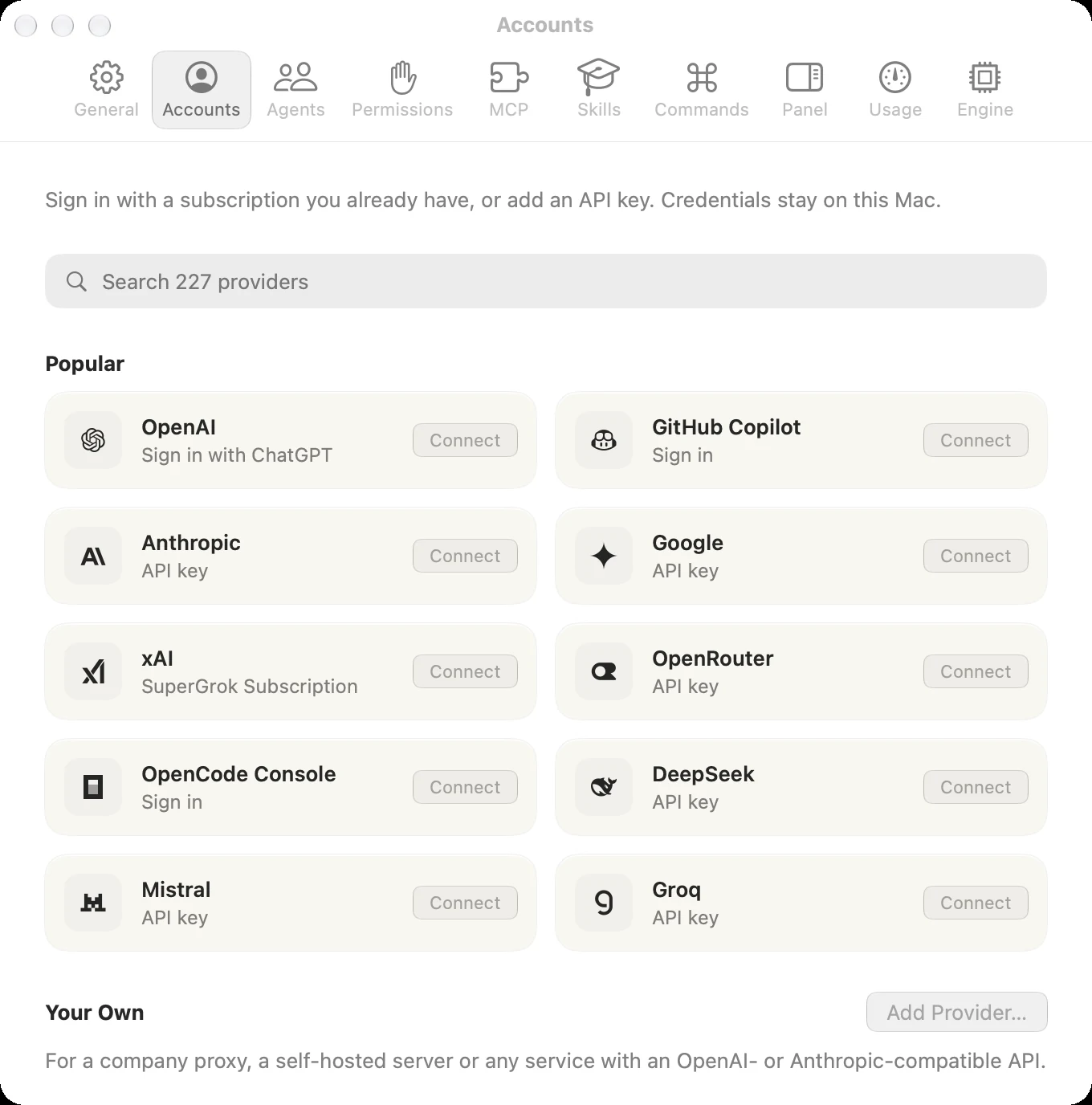
API keys you export in your shell profile work too; restart the engine in **Settings › Engine** after changing them.
## Free models
Without an account, pick a model marked **Free** in the model picker. They come from OpenCode Zen, opencode's own model service.
## Manage accounts
Each connected provider can add another account or disconnect. Your accounts stay on your Mac, separate from any opencode you've installed.
## Your own providers
For a company proxy, a self-hosted server or any service with an OpenAI- or Anthropic-compatible API, click **Add Provider…** under **Your Own**. Give it a name, its address and the IDs of its models, then **Add Key** to add its API key like any other provider's.